.png?width=120&height=35&name=Frame%202%20(1).png)
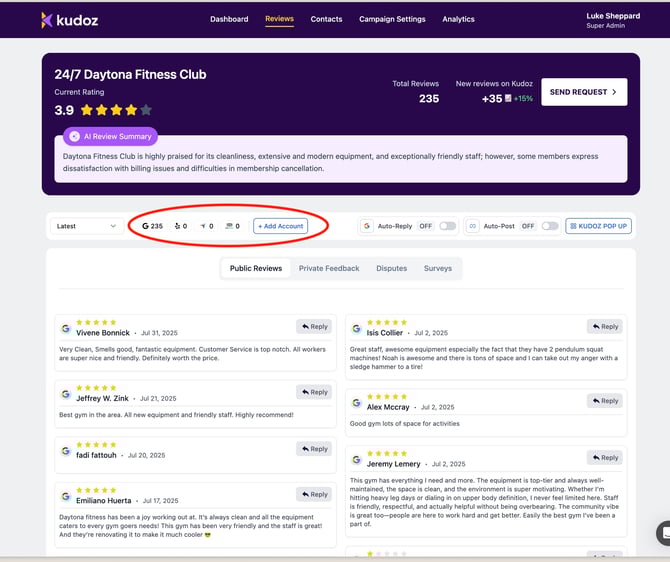
- Go to the tab Reviews → Click add on Review Profiles → Add Account.
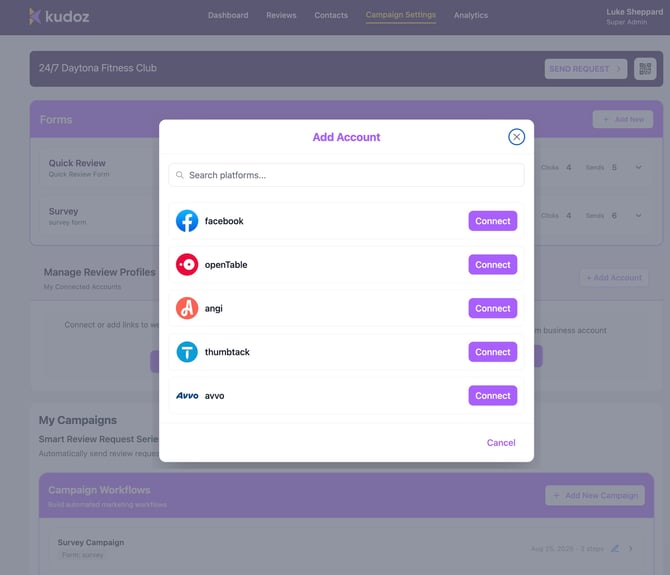
- Choose a site (e.g., Facebook) → paste the profile URL (see example format) → Connect & Import.
.jpeg?width=670&height=560&name=Image%209-22-25%20at%201.49%20PM%20(1).jpeg)
- View imported reviews under Reviews page. You can filter there by the review site if you only want to see reviews from one site.
Pro-tip: Use the full public profile URL (not admin URLs) to import correctly.
Need help? support@kudozreviews.com